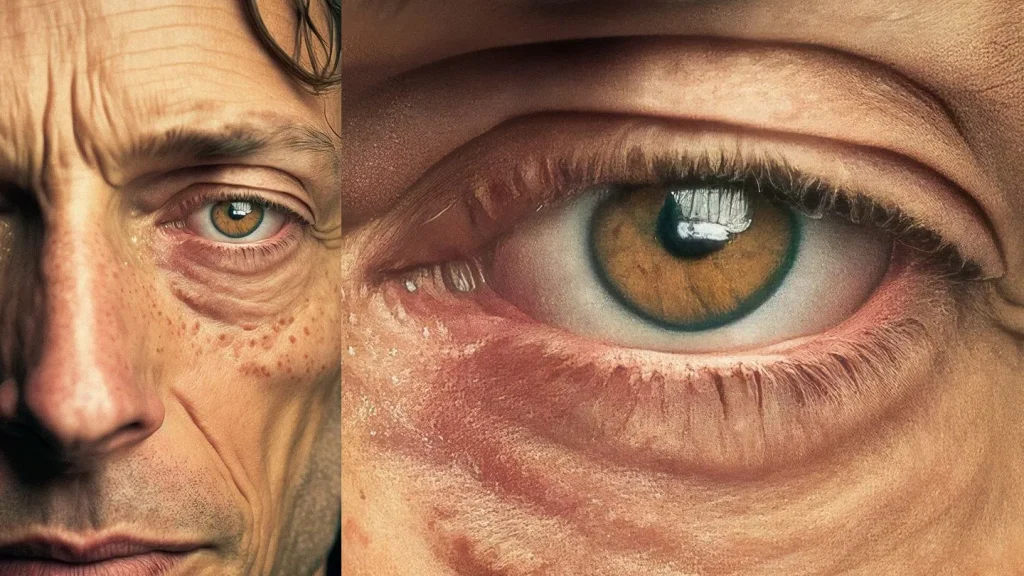
Blow up a low-resolution image in any standard editor and you know what happens. Edges turn blocky, details blur into mush, and the whole photo looks stretched rather than enlarged. This is a common problem with old digital camera photos, scanned prints, screenshots, or images pulled from the web that need to be used at a larger size than they were originally saved at.
A free AI image upscaler is built to get around that. Instead of simply stretching existing pixels, it reconstructs missing detail, so photos come out sharper and cleaner at a larger size instead of just bigger and blurrier.
How AI Upscaling Differs From Regular Resizing
Traditional resizing works by interpolation. The software looks at existing pixels and estimates new ones to fill the gaps when an image is enlarged, which is why results often look soft or smeared, especially past 2x the original size.
An AI upscaler takes a different approach. It’s trained on large sets of low-resolution and high-resolution image pairs, which lets it recognize patterns like edges, textures, and fine details, and predict what that missing information should plausibly look like rather than just averaging nearby pixels. This is why AI-upscaled images tend to retain sharper edges and more realistic texture, particularly in areas like hair, fabric, skin, and fine linework, compared to a standard resize.
The process runs automatically once an image is uploaded, with no manual sharpening or detail work required from the user.
Who This Tool Is Useful For
Photographers and content creators.
Older photos shot on lower-megapixel cameras, or images that need to be used at a larger size for print or display, can be upscaled without the quality loss that comes from basic resizing.
Ecommerce sellers and marketers.
Product photos that look fine as thumbnails often fall apart when enlarged for a banner or listing page. Upscaling lets a smaller source image hold up at a bigger size.
People restoring old or low-quality photo archives.
Scanned prints, early digital camera shots, and compressed images from years of resaving tend to lose resolution over time. Upscaling helps recover usable detail from these degraded files.
Designers and social media managers.
Any time a smaller graphic or photo needs to be repurposed for a larger format, like a cover image or a printed asset, an upscaler avoids starting the design over from scratch.
Why It’s Free and Requires No Signup
Most AI upscaling tools charge per image or limit free usage heavily, often behind a paywall that only becomes clear after you’ve already uploaded a file. This tool processes images directly in the browser, with no account creation and no payment needed to download the result.
For anyone upscaling a single photo or testing output quality before committing to a bulk workflow, that matters. It means you can see exactly what the tool produces before deciding whether it fits your needs, instead of paying upfront for an unknown result.
Frequently Asked Questions
1. How much larger can an image be upscaled?A.This depends on the tool’s settings, but AI upscalers commonly support 2x or 4x enlargement while preserving detail, well beyond what a standard resize can manage cleanly.
2. Does upscaling work on all types of images?A.It works best on photos with clear subjects and decent original quality. Extremely low-resolution, heavily compressed, or very blurry source images will still show some quality limitations after upscaling, since the tool can only reconstruct so much from what’s actually there.
3. Will the upscaled image look artificial or overly smoothed?A. well-trained upscaler aims for a natural result rather than an obviously synthetic one, but some images, particularly those with fine text or intricate patterns, may show minor artifacts depending on the original quality.
4. What file formats are supported for upload?A.Standard image formats like JPEG and PNG are typically supported, covering most photos, screenshots, and scanned images.
5. Is there a limit on how many images I can upscale for free?A.The tool is designed for free, unrestricted use, which makes it practical for both one-off upscales and larger batches.
6. Do I need any technical or editing skills to use this?A.No. The process is automated. You upload the image and receive the upscaled version without needing to configure resolution settings or run manual sharpening.
Try it here:Free AI Image Upscaler